In the ever-evolving battlegrounds of Call of Duty: Mobile, securing a victory is only half the fun. As of 2025, players are finding more stylish and personal ways to dominate their opponents, and nothing makes a bolder statement than a perfectly timed finishing move. The thrill of the Call of Duty: Mobile new execution system is about more than just another point on the scoreboard; it's about delivering a final, unforgettable message to your rivals. It's a total power move, let's be honest!
What Exactly Are Executions?
Executions, or finishing moves, are special melee animations that allow a player to eliminate an enemy from behind in a cinematic fashion. Instead of a simple knife attack or gunshot, an execution triggers a unique, pre-equipped animation that is both brutal and incredibly satisfying. Think of it as the ultimate display of battlefield prowess, a way to assert your dominance when you've completely outmaneuvered an opponent. Why just win when you can win with flair?

How to Perform an Execution
Pulling off an execution is a thrilling experience, but it requires stealth and timing. The process itself is straightforward once you know the steps. Here’s a quick guide for any soldier looking to add this skill to their arsenal:
-
Equip an Execution: First, ensure you have an execution equipped in your loadout. We'll cover how to change these later.
-
Get Behind Your Target: You must be directly behind an unsuspecting enemy player. This works best against stationary targets like snipers or players capturing an objective.
-
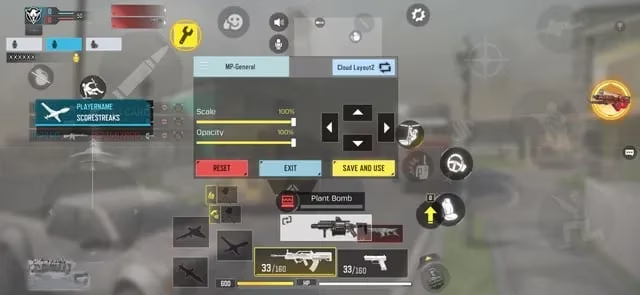
Wait for the Prompt: When you are in the correct position, a special melee button prompt eagerly pops up on your screen. This is your signal!
-
Press and Hold: Press and hold the indicated button. Don't just tap it, or you might perform a standard melee attack instead. Once held, the animation will begin.
Be warned: during the animation, your character is locked in a deadly dance, and you are vulnerable to other enemies. So, pick your moment wisely. 😉
Customizing Your Finisher: Unlocking the Latest Moves
One of the best parts of the execution system is the variety. As of 2025, the library of available finishers has grown immensely. To change your equipped execution, navigate through the main menu:
-
Go to Loadout
-
Tap on the Customization tab (often represented by a spray can or dog tag icon)
-
Select Melee and then Execution
Here, you'll see all the executions you've unlocked. New finishing moves are typically released through the Battle Pass, special in-game events, and Lucky Draws. The latest buzz is all about the new undertaker execution, a jaw-dropping move available in a recent lucky draw. This finisher sees your operator perform a dramatic, wrestling-inspired slam that is guaranteed to tilt your opponents. Man, talk about making a statement!
Tips for a Perfect Execution
Want to become a master of the finishing move? Keep these tips in mind:
-
Use the Dead Silence Perk: This is almost essential. It muffles your footsteps, allowing you to get the drop on enemies without them hearing you coming.
-
Pick Your Targets: Snipers focused on their scopes, players using scorestreaks, or enemies holding a hardpoint are all prime targets.
-
Know Your Surroundings: Before initiating an execution, do a quick check to ensure no other enemies are nearby. The animation lock can be a death sentence if you're not careful.
-
Play in Less-Chaotic Modes: Modes like Search & Destroy or Kill Confirmed often have more opportunities for stealth plays compared to the constant chaos of Hardpoint or Domination.
Executions are one of the most exciting features added to Call of Duty: Mobile, adding a deep layer of personal style and psychological warfare to every match. Now that you know how to perform, change, and unlock them, it's time to get out there and finish the fight with unmatched flair. 💥