As Call of Duty Mobile continues to evolve with new seasons and content, mastering its intricate Gunsmith system remains a cornerstone for any player aiming for victory. 🎮 This powerful feature, adapted from the acclaimed Modern Warfare 2019, offers unparalleled depth in tailoring your arsenal to fit your exact playstyle. Whether you're a seasoned veteran or a recruit fresh off the deployment, understanding how to access, upgrade, and personalize your weapons is the key to dominating both Multiplayer and Battle Royale arenas.
Accessing the Gunsmith Arsenal
The journey to a perfect weapon begins in the Loadout section, prominently located at the center-bottom of your main menu. Tapping this opens the gateway to your armory. You'll first need to choose your battlefield: the fast-paced chaos of Multiplayer or the expansive survival of Battle Royale. From there, simply select either the primary or secondary weapon slot in your chosen loadout.
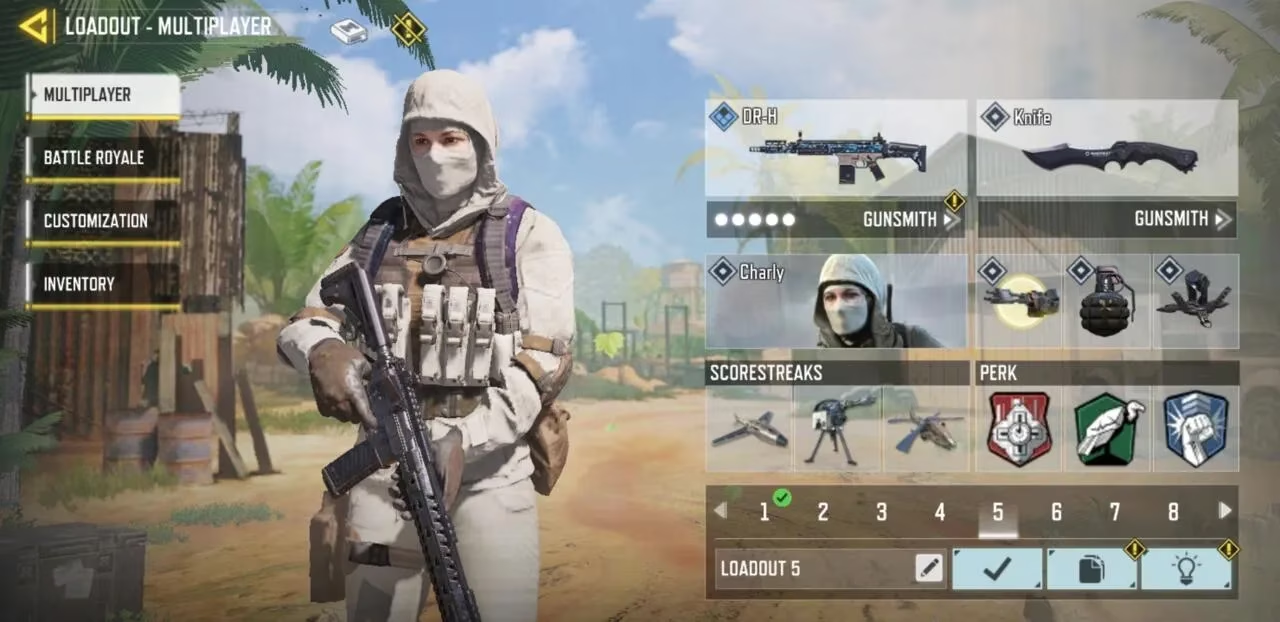
This action presents you with the full catalog of weapons, neatly categorized:
-
Assault Rifles 🪖
-
Sniper Rifles 🔭
-
Light Machine Guns (LMGs) 💥
-
Submachine Guns (SMGs) 🏃♂️
-
Shotguns 🔫
-
Marksman Rifles 🎯
Once you've selected your weapon of choice, look to the right side of the screen. Beneath the weapon's statistics, you'll find the coveted Gunsmith button. Tap it, and you've entered the workshop where legends are forged.
Expanding Your Arsenal: Loadout Slots
Patience and progression are vital. The game grants you a total of 10 custom loadout slots, but you won't start with them all. They are unlocked steadily as you rank up your player level. For instance, that crucial ninth slot becomes available at Level 46, while the final tenth slot is a reward for reaching the prestigious Level 70. This system encourages players to experiment and adapt their strategies over time.
The Path to Power: Leveling Up Weapons
When you first pick up a new firearm, its customization options will be severely limited. The Gunsmith interface clearly displays your weapon's current level in the top-right corner. To unlock its full potential, you must level it up. There are two primary methods:
-
The Grind: Simply using the weapon in matches is the most straightforward way to earn Weapon XP.
-
The Boost: You can accelerate this process by using Weapon XP Cards. These valuable items are rewards from various sources:
-
Battle Pass progression 📈
-
Daily login bonuses 📅
-
Special event challenges 🏆
-
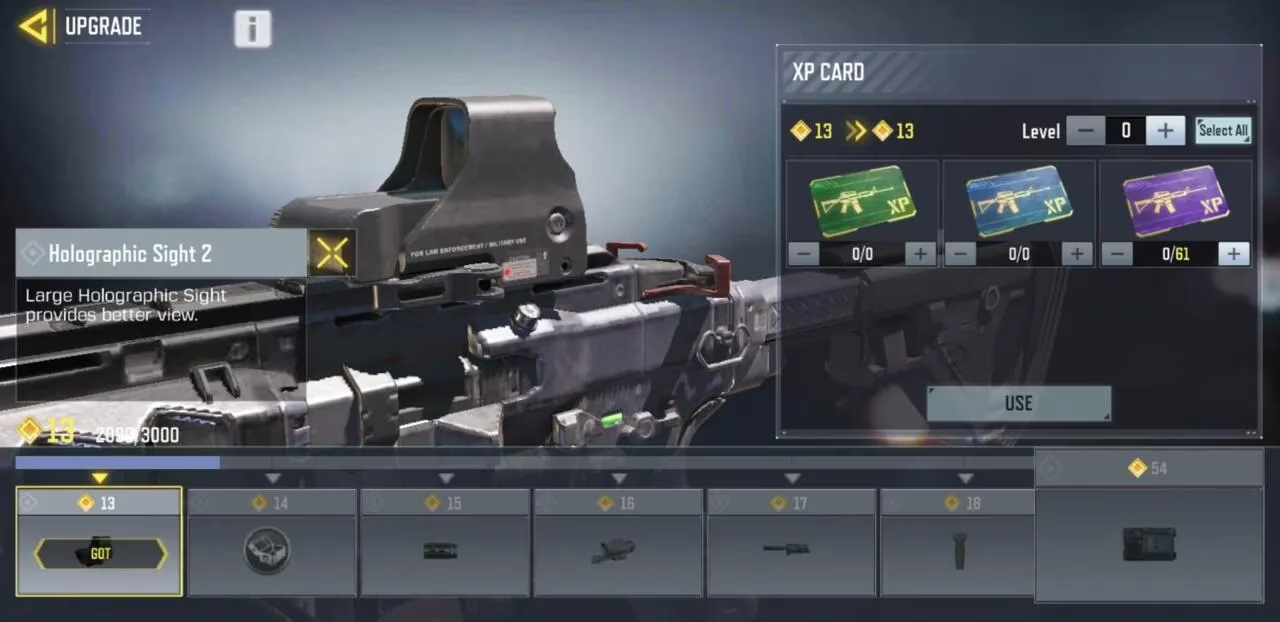
Tapping the "Upgrade" option lets you preview all attachments locked behind each level and apply your XP cards directly.
Engineering Your Perfect Weapon: Attachments & Stats
The heart of the Gunsmith is the stat box on the right. It provides a clear, real-time visualization of your weapon's core attributes—like Accuracy, Range, Control, Mobility, and Fire Rate. Every attachment you add will dynamically adjust these stats, allowing for precise tuning.
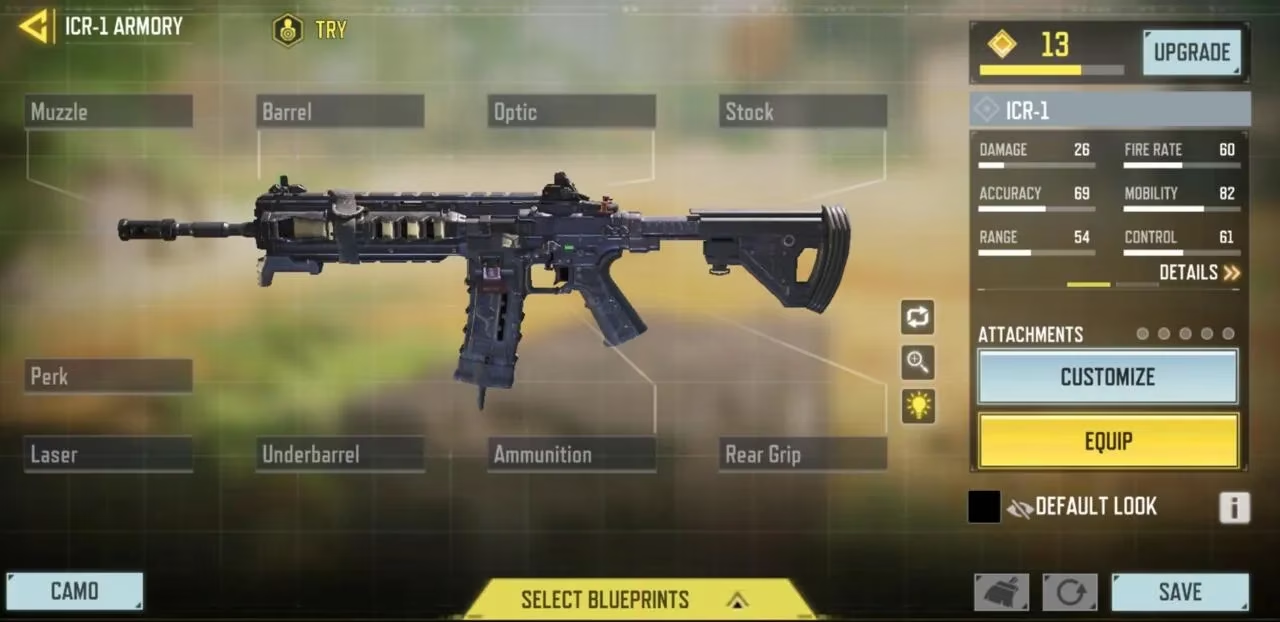
While a weapon can have up to nine different attachment categories, you are limited to equipping a maximum of five attachments at once. This forces meaningful choices and strategic trade-offs. Here’s a breakdown of the categories available:
| Attachment Category | Primary Function | Example Benefits |
|---|---|---|
| Muzzle | Sound Suppression & Accuracy | Silencers, Compensators |
| Barrel | Range & Control | Extended Barrels |
| Optic | Target Acquisition | Red Dot Sights, Tactical Scopes |
| Stock | Mobility & Control | Lightweight Stocks |
| Underbarrel | Control & Mobility | Foregrips, Bipods |
| Laser | Hip-fire & Movement | Tactical Lasers |
| Ammunition | Ammo Capacity & Reload | Extended Mags, Fast Mags |
| Rear Grip | Mobility & Control | Granulated Tape |
| Perk | Unique Bonuses | Sleight of Hand, FMJ |
Expressing Your Style: Cosmetics & Camo Grinds
Beyond pure performance, the Gunsmith lets you express your personality. Clicking the "Customize" button unveils a world of visual flair:
-
Camos: Change your weapon's skin.
-
Reticles: Alter your optic's aiming point.
-
Charms: Dangle a cute trinket from your gun.
-
Stickers: Apply decals for extra style.
These cosmetics are earned through the Battle Pass, events, and the legendary camo challenges. These challenges are a true test of skill and dedication, requiring specific tasks to unlock patterns across six categories:
-
Sand: Eliminate enemies.
-
Dragon: Secure hip-fire kills.
-
Splinter: Achieve long-distance eliminations.
-
Tiger: Get kills using 5 attachments.
-
Jungle: Score headshot kills.
-
Reptile: Eliminate foes with no attachments equipped.
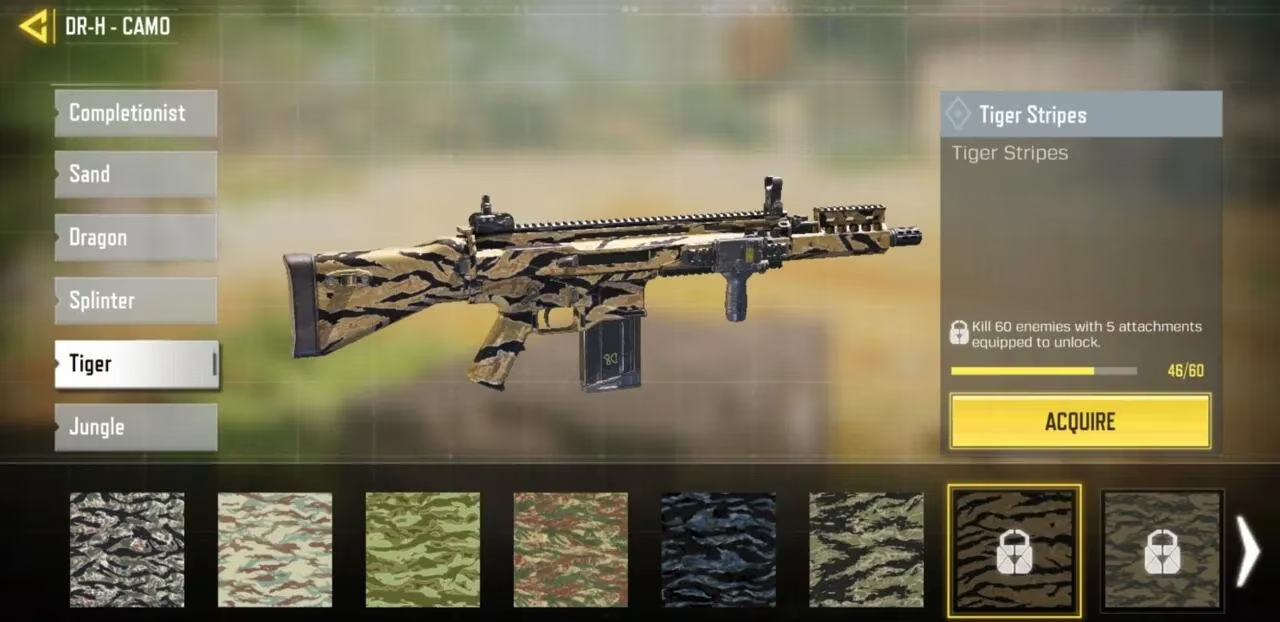
The ultimate bragging rights come from the prestigious Completionist Camos:
-
Gold: Unlock all base camos for a weapon.
-
Platinum: Unlock Gold for every weapon in a specific class.
-
Damascus: Unlock Gold for every weapon in the game. A monumental feat! ✨
-
Diamond: Get 10 kills in a single match 150 times with a weapon.
-
Aether Crystal: A mysterious, highly sought-after camo with challenges yet to be fully revealed.
Securing Your Masterpiece: Blueprints
Once you've crafted a weapon build that feels like an extension of yourself, you can preserve it. By hitting the "Save" button in the bottom-right corner, you create a custom weapon blueprint. You can even give it a unique name for easy identification. All your saved blueprints are accessible via the "Select Blueprint" button at the menu's bottom, allowing you to deploy your perfect loadout instantly in any match.
In the ever-changing meta of 2026, the Gunsmith is more than a feature—it's the forge where victory is shaped. Understanding its nuances, from the strategic selection of attachments to the relentless pursuit of camos, separates the recruits from the legends. Now, gear up, soldier. Your perfect weapon awaits. 💪